Button Select
- Format
- Static
- Category
- Pattern Interrupts
- Stage
- TOF, MOF
- Requires
- Prompt only
What is it
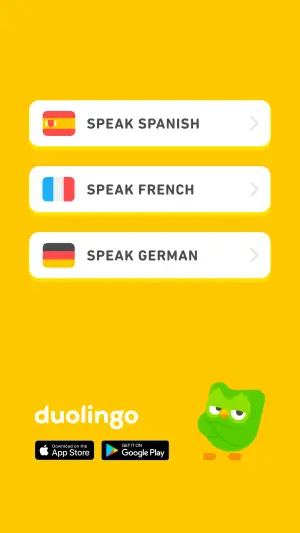
An ad that presents the offer as a set of tappable-looking buttons — a vertical stack, a split this-or-that, a mini quiz. The viewer picks one in their head, and that mental tap turns them from someone watching an ad into someone telling you what they want.
What makes it work
Frame the choice with a question
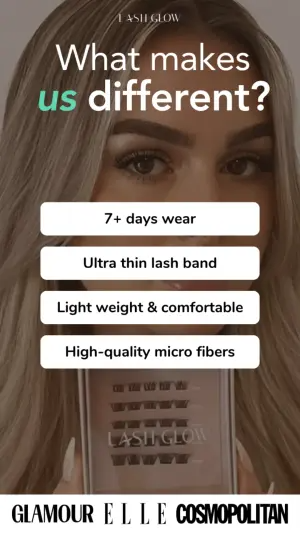
A headline at the top that makes the buttons mean something. A naked button stack reads as a feature list; "What makes us different?" or "Which one are you?" turns the same list into a quiz.
Make the buttons impossible to miss
Stark white or high-contrast shapes with real drop shadows, sitting over the background rather than in it. If the buttons blend into the photo, the interaction never starts.
Keep every choice free
A language, a feature, a side. The tap has to feel like no risk and a tailored payoff. Anything implying cost, commitment or a form kills it.
Three or four options, no more
Two is the cheapest tap you can ask for and works fine. Six turns a quick reflex into a task and people scroll instead.
Anchor the choice with trust
A mascot, the product in frame, press logos under the stack. The buttons ask for a decision; the anchor makes the decision feel safe.
Reference 1
AI Edit Master Prompt
Using the attached image as the layout reference: keep the flat bright background, a vertical stack of three white rounded pill buttons with drop shadows and a small chevron at the right edge of each, an icon at the left of every button, the wordmark and two app-store badges in the bottom left, and a character in the bottom right. Replace the background with {YOUR BRAND COLOR}, the icons with {YOUR ICONS}, and the character with {YOUR MASCOT}. Set the button labels to "{OPTION 1}", "{OPTION 2}" and "{OPTION 3}", and the wordmark to "{YOUR BRAND}".Reference 2
AI Edit Master Prompt
Using the attached image as the layout reference: keep the close-up photo filling the frame, a small wordmark at the very top, a large headline beneath it with one word italicised and colour-highlighted, a vertical stack of four white rounded rectangular buttons centred over the photo, and a white banner of press logos across the bottom. Replace the photo with {YOUR PRODUCT IN USE} and the highlight colour with {YOUR BRAND COLOR}. Set the wordmark to "{YOUR BRAND}", the headline to "{THE QUESTION}", the buttons to "{FOUR ANSWERS}", and the bottom logos to "{YOUR PRESS}".Reference 3
AI Edit Master Prompt
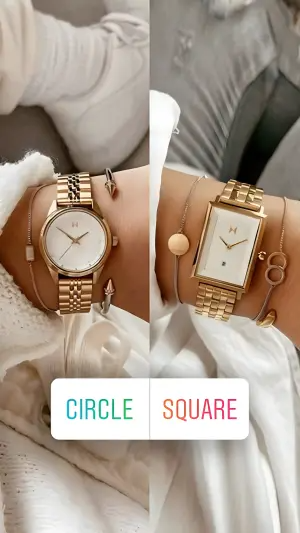
Using the attached image as the layout reference: keep the vertical split-screen with a close-up of one product variant on each side, and a single white rectangular button across the lower centre divided into two halves, each half's label in a different colour. Replace the two sides with {VARIANT A} and {VARIANT B} shot identically in {YOUR SETTING}. Set the button halves to "{LABEL A}" and "{LABEL B}".Reference 4
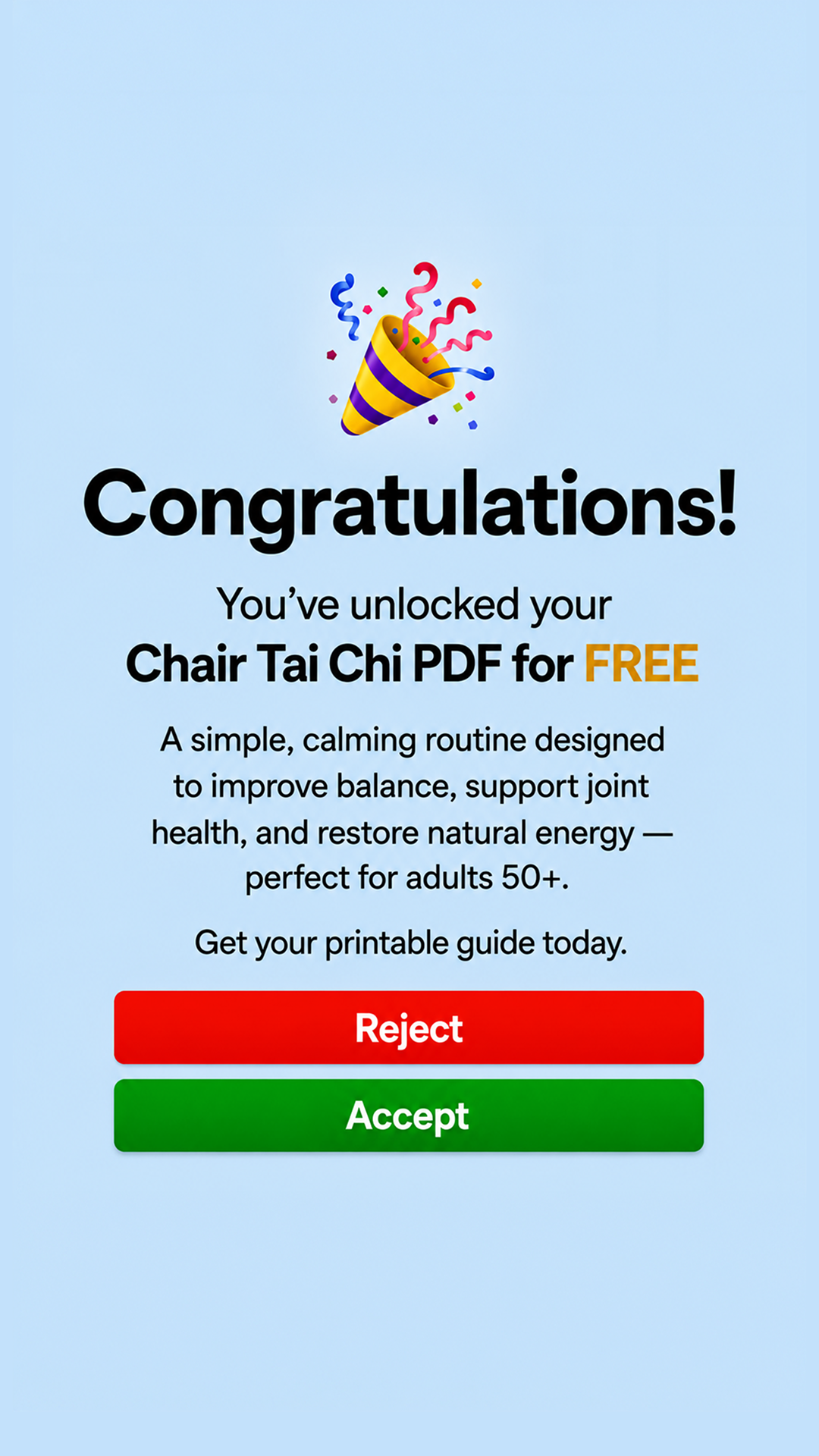
AI Edit Master Prompt
Using the attached image as the layout reference: keep the flat pale solid background with no photography, a single celebratory emoji centred in the upper third, a large bold sans-serif exclamation word directly beneath it, then a two-line subhead in which the second line is bold and one phrase is set in a contrasting accent colour, a short centred body paragraph of three or four lines in lighter weight below that, a single-line instruction beneath it, and at the bottom two full-width stacked rounded buttons — the upper one filled in a warning colour, the lower one filled in a confirming colour, both with centred bold white labels. Everything centred on a single vertical axis with generous spacing. Set the headline to "{THE CELEBRATION WORD}", the subhead to "{WHAT THEY'VE UNLOCKED}", the body paragraph to "{WHAT IT DOES AND WHO IT'S FOR}", the instruction line to "{THE ACTION}", and the two buttons to "{THE DECLINE LABEL}" and "{THE ACCEPT LABEL}".Reference 5
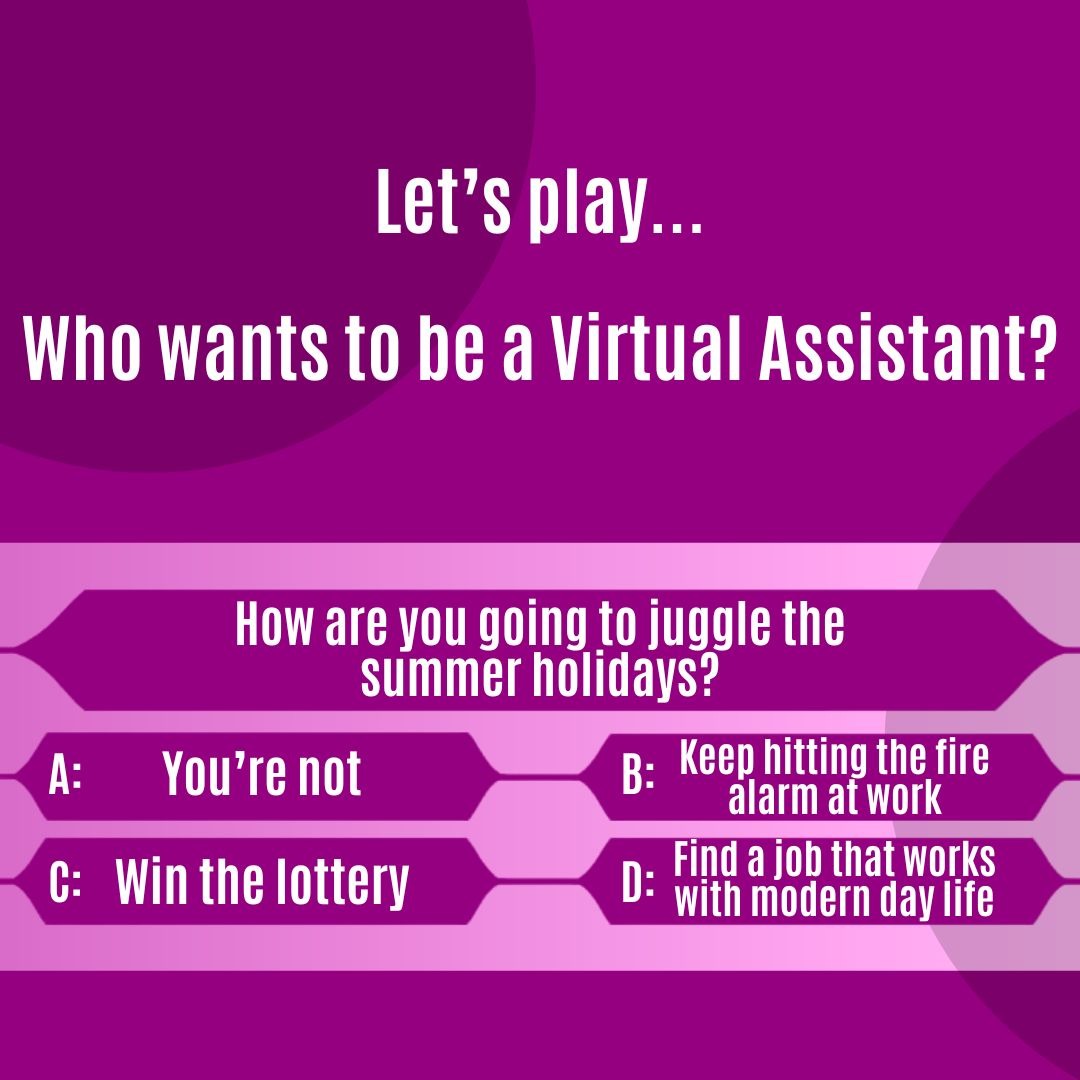
AI Edit Master Prompt
Using the attached image as the layout reference: keep the saturated single-colour background with large faint tonal circles behind the type, a centred white two-part headline in the upper half — a short lead-in line above and a longer question line below it — then a lighter horizontal band across the lower half containing a game-show answer board: one wide centred question bar with angled notched ends, and beneath it four answer plates in a two-by-two grid, each notched at both ends, each prefixed with a bold letter label followed by its answer text, all set in bold condensed white type. Set the lead-in to "{THE GAME INTRO}", the question line to "{THE SHOW TITLE AS A QUESTION}", the question bar to "{THE PAIN POINT AS A QUESTION}", and the four answer plates to "{THREE ABSURD OPTIONS}" plus "{THE OFFER AS THE FINAL OPTION}".