Comment Reply
- Format
- Static, Video
- Category
- Objection Handling / Social Proof
- Stage
- MOF, BOF
- Requires
- A real comment worth answering
What is it
A viewer's comment, shown as a native-looking comment bubble with avatar and name, placed at the top of the frame, and the brand's answer underneath it: a reply video, a product demo, a close-up or a short piece of text. It borrows the format TikTok and Instagram built for creators replying to their audience, so it reads as a conversation rather than an ad. The comment voices a question or doubt the viewer already has, and seeing it answered publicly feels more credible than the brand raising it itself.
What makes it work
Pick the comment everyone is secretly thinking
The best comments are sceptical, blunt or funny: ‘Does this actually work on thick hair?’, ‘There's no way this is real’, ‘Why is it so expensive?’. A question the audience already has makes them stop to see the answer. A gushing compliment makes a weak hook.
The bubble has to look native
Rounded white or dark comment bubble, small circular avatar, username, the comment text in the platform's default style, pinned to the top of the frame and overlapping the content slightly. It should look like a real reply screenshot, not a designed quote card, but without copying a specific platform's logo.
Answer by showing, not telling
The strongest replies prove the point on camera: the product used on thick hair, the price broken down, the stain removed live. A reply that just repeats claims in a new voice wastes the setup. For statics, a close-up or a result photo under the bubble does the same job.
Keep the tone human, even a bit cheeky
Reply as a founder, team member or creator, speaking directly to the commenter. A little humour or honesty (‘fair question, here's why it costs more’) builds trust. Corporate language under a casual comment breaks the illusion instantly.
Only use real comments
Fabricated comments from invented users are fake testimonials, and both Meta and EU consumer law treat them as misleading. Pull genuine comments from your own posts and ads, blur or shorten usernames unless you have permission, and don't edit the wording to make the question sharper than it was.
Reference 1
AI Edit Master Prompt
Produce a 1m34s vertical 9:16 talking-head vlog about {YOUR TOPIC}.

Sequence: Film {THE SPEAKER} in {A CASUAL SETTING} sharing practical advice on how to begin with {STARTING BUDGET OR CONSTRAINT}. Have them explain {FIRST RECOMMENDATION}, then {SECOND RECOMMENDATION}, while warning viewers against {COMMON MISTAKE OR EXPENSE}.

Assemble: Use one continuous static phone-camera shot with jump cuts that remove pauses and dead air while preserving a candid, conversational rhythm.

Text Overlay: Add bold {PRIMARY COLOR} and {SECONDARY COLOR} captions tracking the speech word for word.
Reference 2
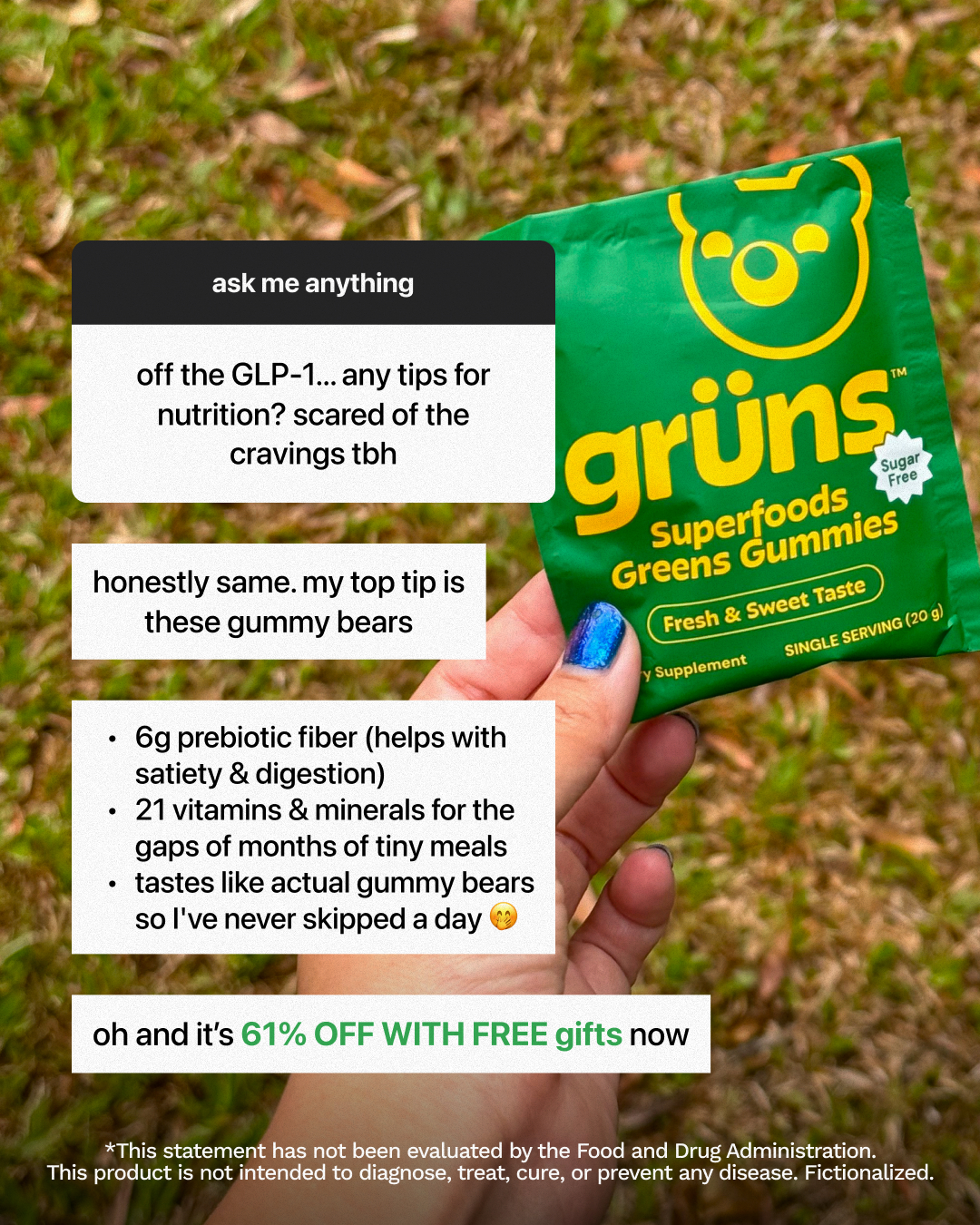
AI Edit Master Prompt
Using the attached image as the layout reference: create a vertical 9:16 Story ad with a close handheld product shot outdoors. Keep a native Q&A sticker near the top asking “{REAL AUDIENCE QUESTION}”, then stack short white answer boxes beneath it with {PERSONAL RECOMMENDATION}, {BENEFIT 1}, {BENEFIT 2}, and {TASTE OR USAGE BENEFIT}. Finish with a bold accent-colour “{OFFER}” line and the required {LEGAL DISCLAIMER} along the bottom. Replace the packet with {YOUR PRODUCT} and preserve the casual phone-photo feel.Reference 3
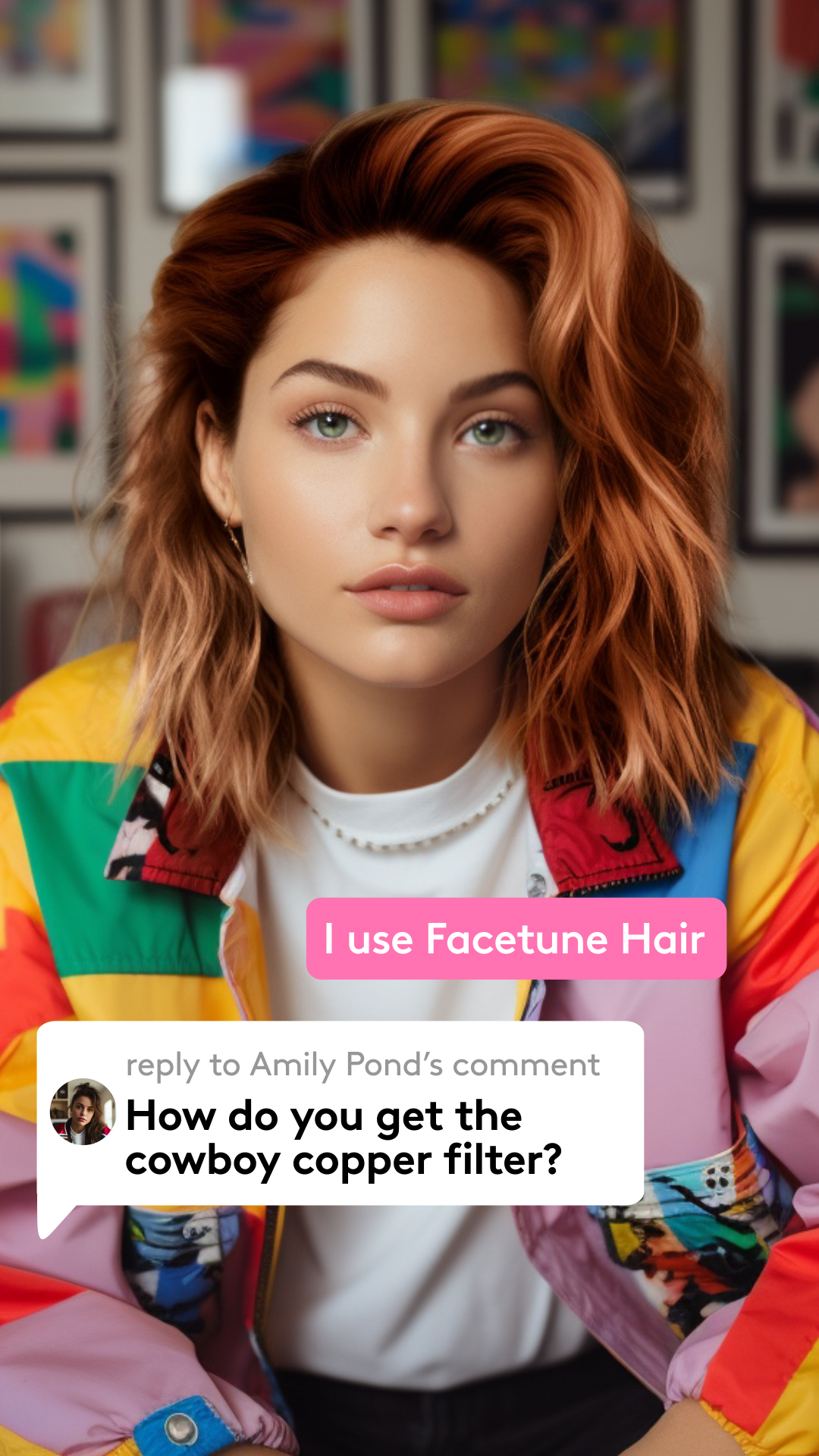
AI Edit Master Prompt
Using the attached image as the layout reference: create a vertical 9:16 image ad built around a close portrait of {YOUR CREATOR} showing {THE RESULT OR LOOK}. Add a bright rounded response sticker reading “{SHORT ANSWER USING YOUR PRODUCT}” above a large native-looking comment bubble. Include a small circular avatar, muted “reply to {NAME}'s comment” label, and the genuine question “{REAL AUDIENCE QUESTION}”. Keep the portrait dominant and the interface elements simple, oversized and readable.Reference 4
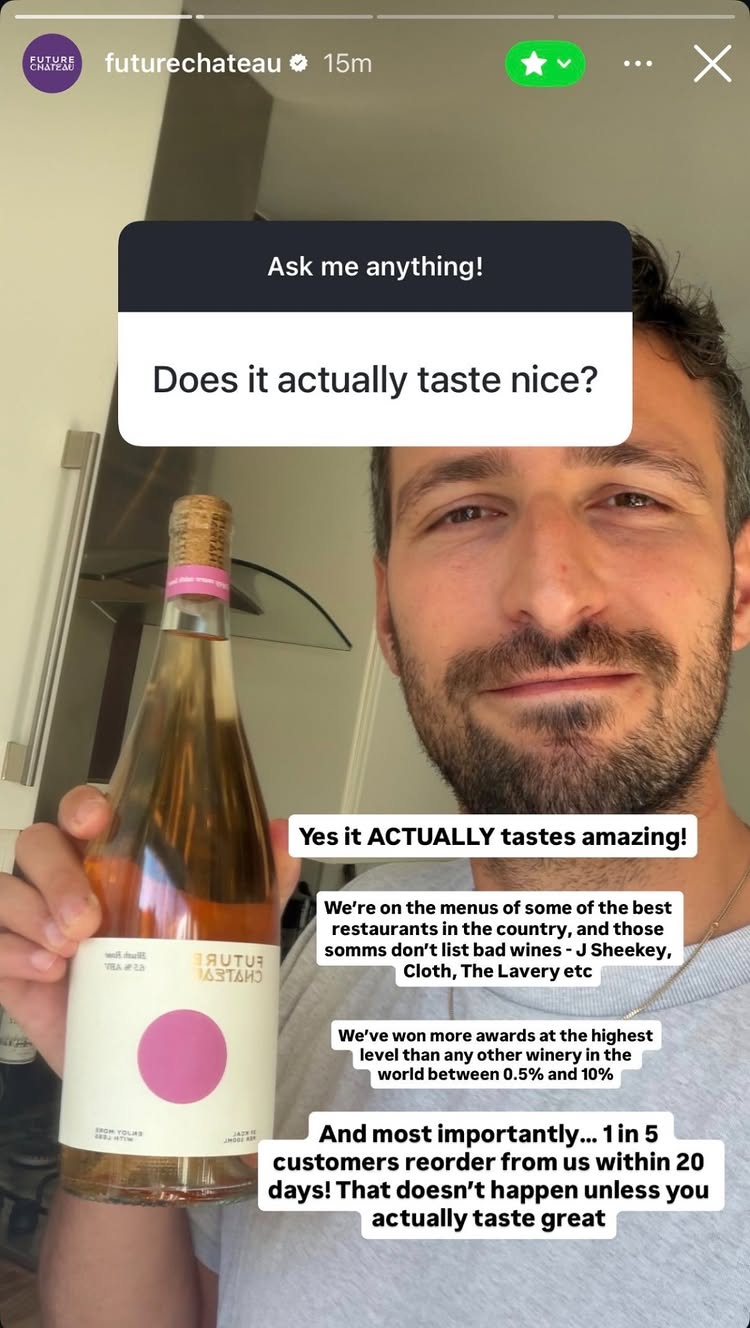
AI Edit Master Prompt
Using the attached image as the layout reference: create a vertical 9:16 Story ad from a casual selfie of {FOUNDER OR CREATOR} holding {YOUR PRODUCT}. Place a native Q&A sticker near the top asking “{REAL PRODUCT OBJECTION}”. Stack compact white text boxes over the lower half answering directly with {CORE ANSWER}, {PROOF POINT 1}, {PROOF POINT 2}, and {REPEAT-PURCHASE OR CUSTOMER RESULT}. Keep the framing spontaneous and the text bold enough to read instantly.Reference 5
AI Edit Master Prompt
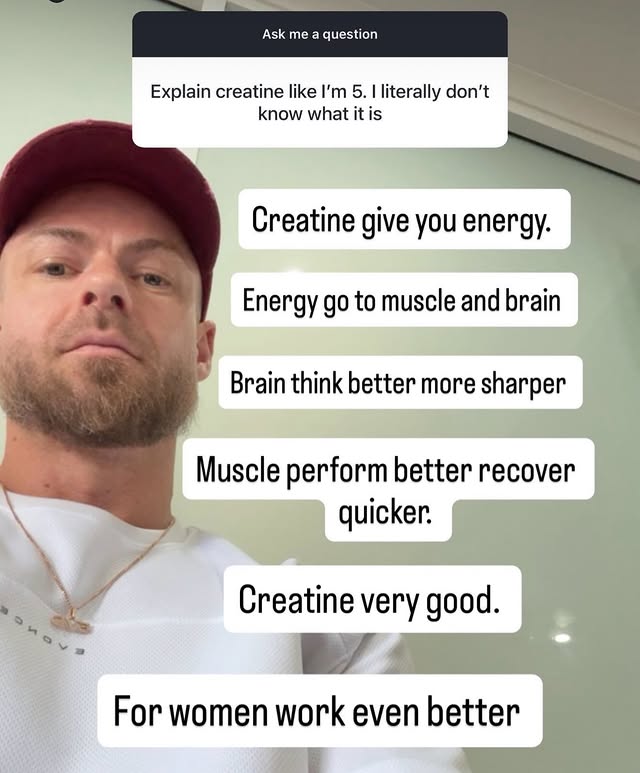
Using the attached image as the layout reference: create a vertical 9:16 Story ad with a casual low-angle selfie of {EXPERT OR CREATOR}. Add a native Q&A sticker at the top reading “Explain {YOUR TOPIC} like I'm 5”. Stack large white rounded text boxes down the frame, each containing one deliberately simple benefit: {SIMPLE EXPLANATION}, {BENEFIT 1}, {BENEFIT 2}, {BENEFIT 3}, and {WHO IT HELPS MOST}. Keep the wording short, human and slightly playful.Reference 6
AI Edit Master Prompt
Produce a 26s vertical 9:16 POV reply ad for {YOUR PRODUCT}.

Sequence: Open with {A CREATOR} moving or using the product in {SETTING 1}, then show {USE CASE 1}, {CONFIGURATION OR FEATURE 1}, and {CONFIGURATION OR FEATURE 2}. Finish by moving or using it naturally in {SETTING 2}.

Assemble: Use fast jump cuts that highlight {PRIMARY PRACTICAL BENEFIT} and {NUMBER}-in-1 versatility.

Text Overlay: Open with a native reply bubble containing the genuine comment “{REAL AUDIENCE COMMENT}”, followed by captions that track the narration and name each feature as it appears.

Audio: Clear creator narration with light natural room sound.

End Card: Conclude on the product completing its final use case.
Reference 7
AI Edit Master Prompt
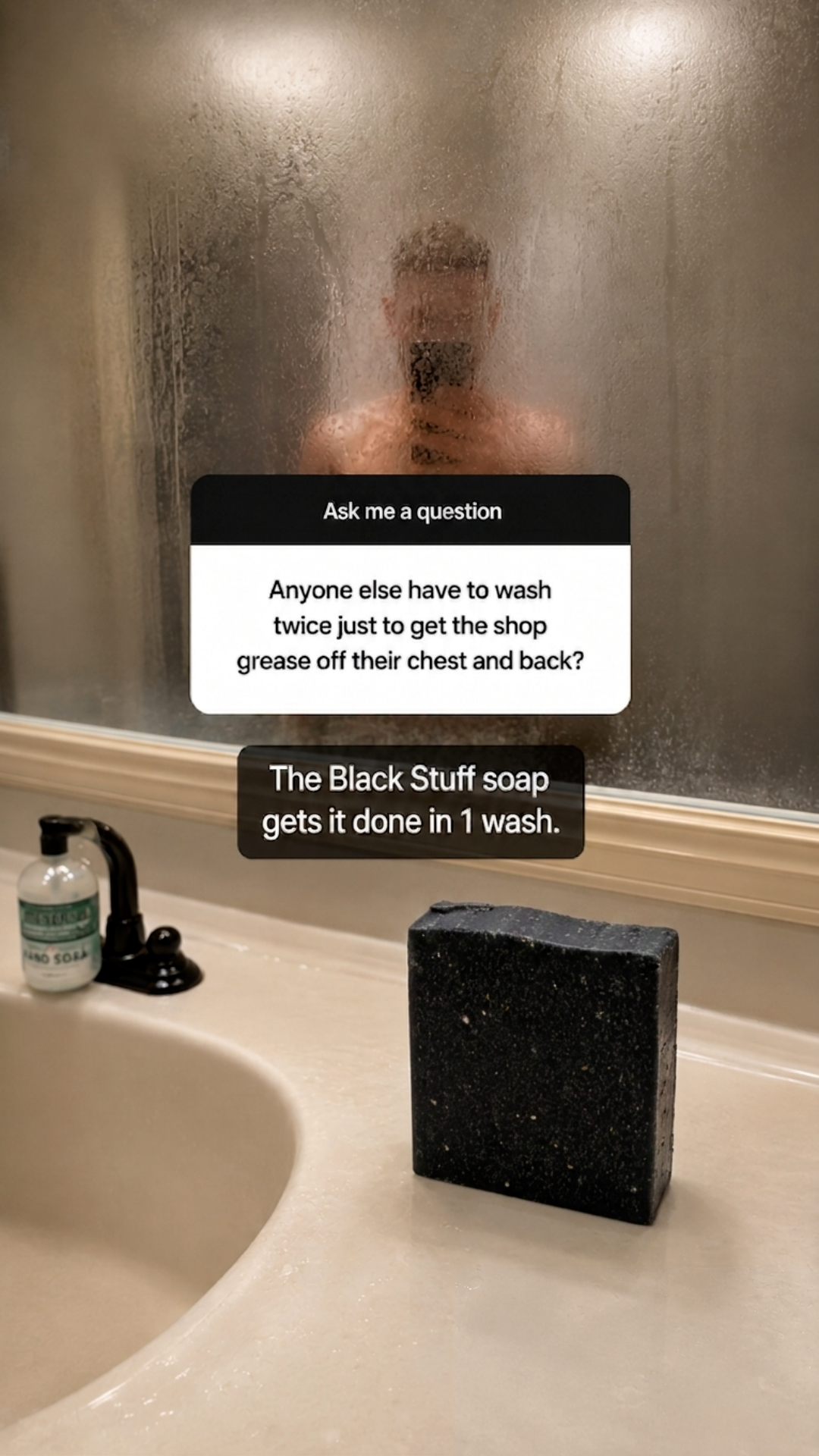
Using the attached image as the layout reference: create a vertical 9:16 Story ad in {A VISUALLY RELEVANT SETTING}, with {THE CREATOR OR RESULT} visible in the background and {YOUR PRODUCT} clearly placed in the foreground. Overlay a native Q&A sticker asking “{REAL PROBLEM-BASED QUESTION}”, then add one dark high-contrast response box reading “{YOUR PRODUCT} {THE DIRECT PROOF-LED ANSWER}”. Keep the scene raw, practical and immediately connected to the problem being answered.Reference 8
AI Edit Master Prompt
Produce a 33s vertical 9:16 comment-reply ad for {YOUR PRODUCT}.

Sequence: Open with {THE CREATOR} replying to a genuine comment about {AUDIENCE CONCERN}. Have them present {YOUR PRODUCT} and explain {KEY DIFFERENTIATOR OR INGREDIENT STORY}. Cut to lifestyle B-roll showing {USE CASE 1}, {VISIBLE RESULT OR PROOF}, and {USE CASE 2}. End with a direct call to action for {YOUR WEBSITE OR OFFER}.

Assemble: Use quick cuts blending the talking-head explanation with lifestyle B-roll and concise feature or ingredient pop-ups.

Text Overlay: Keep the native reply comment visible during the hook, then use bold captions and highlighted keywords throughout.

Audio: Direct creator voiceover with a light, energetic sound bed.

End Card: Finish on {YOUR PRODUCT}, {YOUR BRAND}, and the call to action.